Day 12 — Working with Unity shader
Platform: Meta Quest 3 (Unity)
Genre: Mixed Reality Survival Shooter
Theme: North Pole Containment / Thermal Defense
Overview
For the past few days, our enemies have been simple blue balls. They moved and they died, but they didn’t look like the “frozen icy sludge” creatures I imagined. Yesterday, we finally tackled the visuals, using Unity Shader Graph to bring the ice blobs to life.
1. The Goal
The concept for the enemies is that they should look like an icy virus. They shouldn’t look like solid blocks of ice (too clean) or just water (too fluid). Right now it tends to look more like a solid ice ball though, this is because i’m new to creating my own shaders, so hopefully by the end of the project i will be able to make the inside of the ice ball more ‘liquid looking’.
2. The Tech: Unity Shader Graph
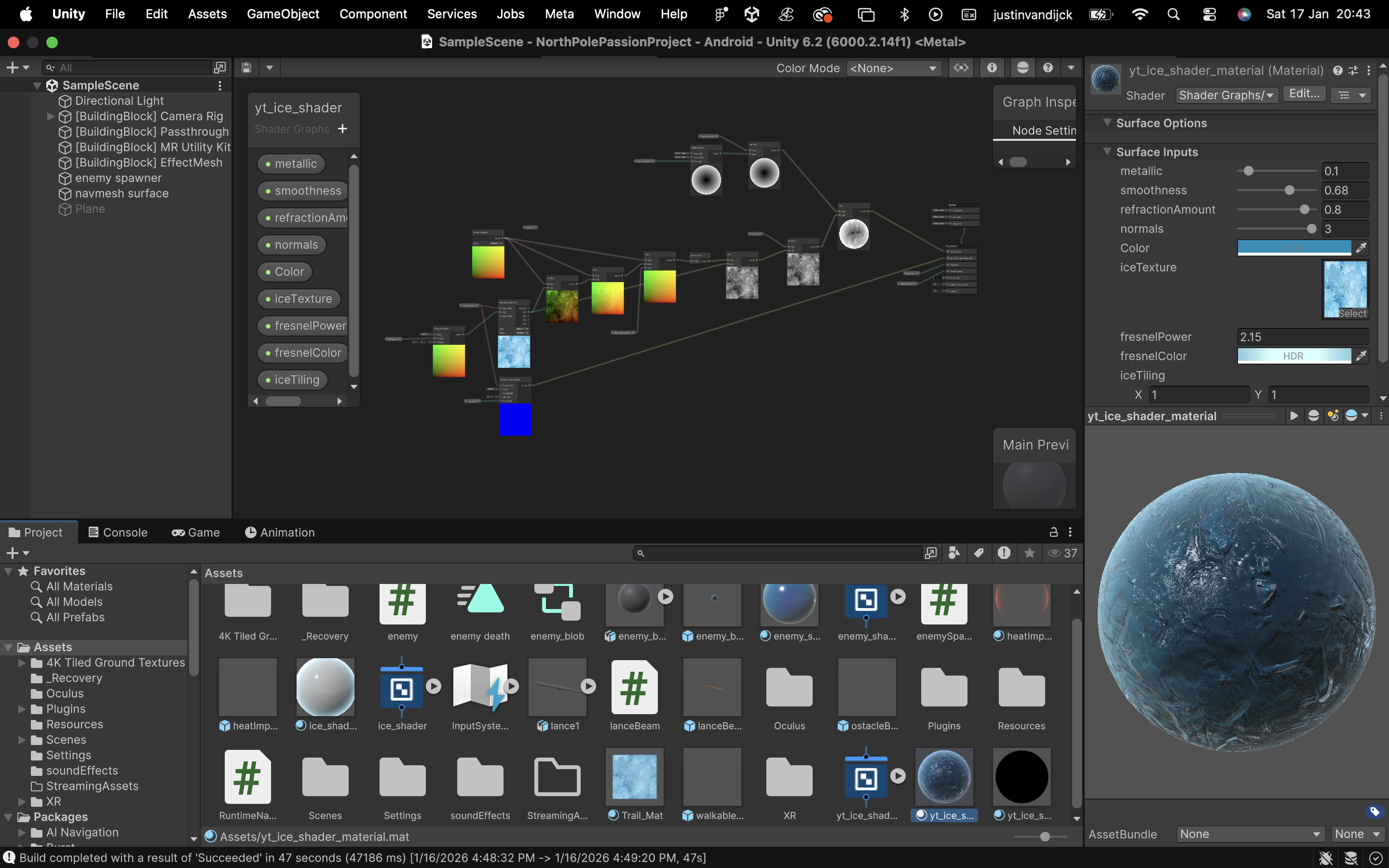
To achieve this look without expensive textures, I built a custom shader (and used a free ice texture from the unity asset store to give it an extra touch). Here are the key components:
Fresnel Effect This is used for anything “icy” or “ghostly”. The Fresnel node highlights the edges of the object where the surface normal is perpendicular to the camera. This gives the blobs a glowing, frozen rim light that separates them from the real-world background.
Transparency & Refraction The material is set to Transparent. This allows you to see slightly “into” the blob, giving it volume. We also added a slight distortion (refraction) to the background behind it, making it feel like a dense, refractive material.
3. Result
The blue balls are gone. It now looks more like an icy ball. There are still some improvements to be made, but for now it’ll do.
4. Unity
5. References
https://www.youtube.com/watch?v=Gym5JWHgjkk&t=3s I watched this video about how to use the nodes to create a icy shader