Day 13 & 14 — UI, Game Flow & updating the enemy
Platform: Meta Quest 3 (Unity)
Genre: Mixed Reality Survival Shooter
Theme: North Pole Containment / Thermal Defense
Overview
A game isn’t a game if you can’t lose. Up until now, we had the melting of enemies and enemies that spawned, but no real “Game Loop.” Sunday and Monday were dedicated to wrapping the core mechanics in a proper structure: Start Screens, Game Over states, and the logic to switch between them. Another small chenge i made was making the enemy blob vertex points move to make it feel more alive. This went quite quick without too many issues.
1. The Goal
In Mixed Reality, you can’t just slap a 2D menu on the screen like in a PC game. It feels unnatural and breaks the illusion of the enemies being in your room. We needed:
Floating Menus: UI that exists in 3D space, floating comfortably in front of the player. Input Switching: You need a laser pointer to click buttons, but a Thermal Lance to fight enemies. You can’t have both active at once without it feeling clunky.
2. The Tech: World Space Canvases
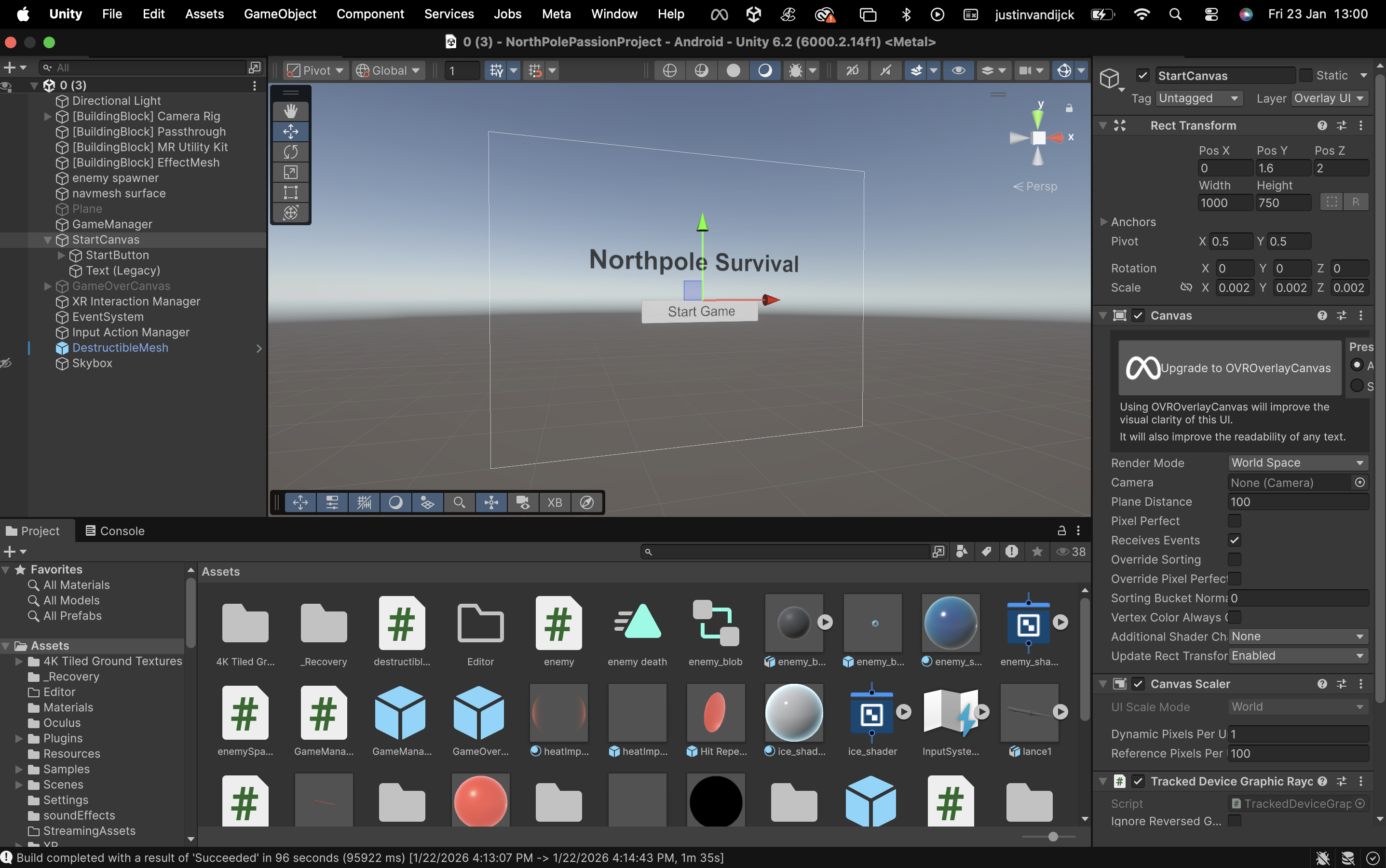
Unity’s UI system is powerful, but for VR/MR, we use World Space render mode. This detaches the UI from the “screen” and turns it into a physical object in the world. We built a central brain to handle the state of the game. It manages the transition between two distinct modes:
Menu Mode: Visuals: Shows the Start or Game Over floating panels. Input: Activates the XR Ray Interactor (your standard VR/MR laser pointer). Gameplay: Pauses enemy spawning and hides the weapon.
Combat Mode: Visuals: Hides all menus. Input: Deactivates the Ray Interactor and enables the Thermal Lance. Gameplay: Begins the enemy waves and enables wall destruction.
3. The “Too Many Enemies” Fail State
Currently it’s a pressure-based lose condition. Instead of a health bar, you lose if you let the infestation get out of control.
The Limit: If 15 enemies are alive at once, the containment is breached. The Result: The game immediately stops, the weapon deactivates, and the “Game Over” UI floats in front of you, offering a Restart and Quit button.
Note: This will later be optimised, for now this is enough to have the game working.
4. Result
We now have a full, playable loop. You put on the headset, see a floating “Start” button, click it, and your controller transforms into a Thermal Lance. You fight to keep the population down, and if you get overwhelmed, the system shuts down and resets. The enemies look more alive
5. Unity
6. Resources
https://www.youtube.com/watch?v=iVfa_azjnNI https://www.youtube.com/watch?v=2KSLO9JnxHA